Review the worklist
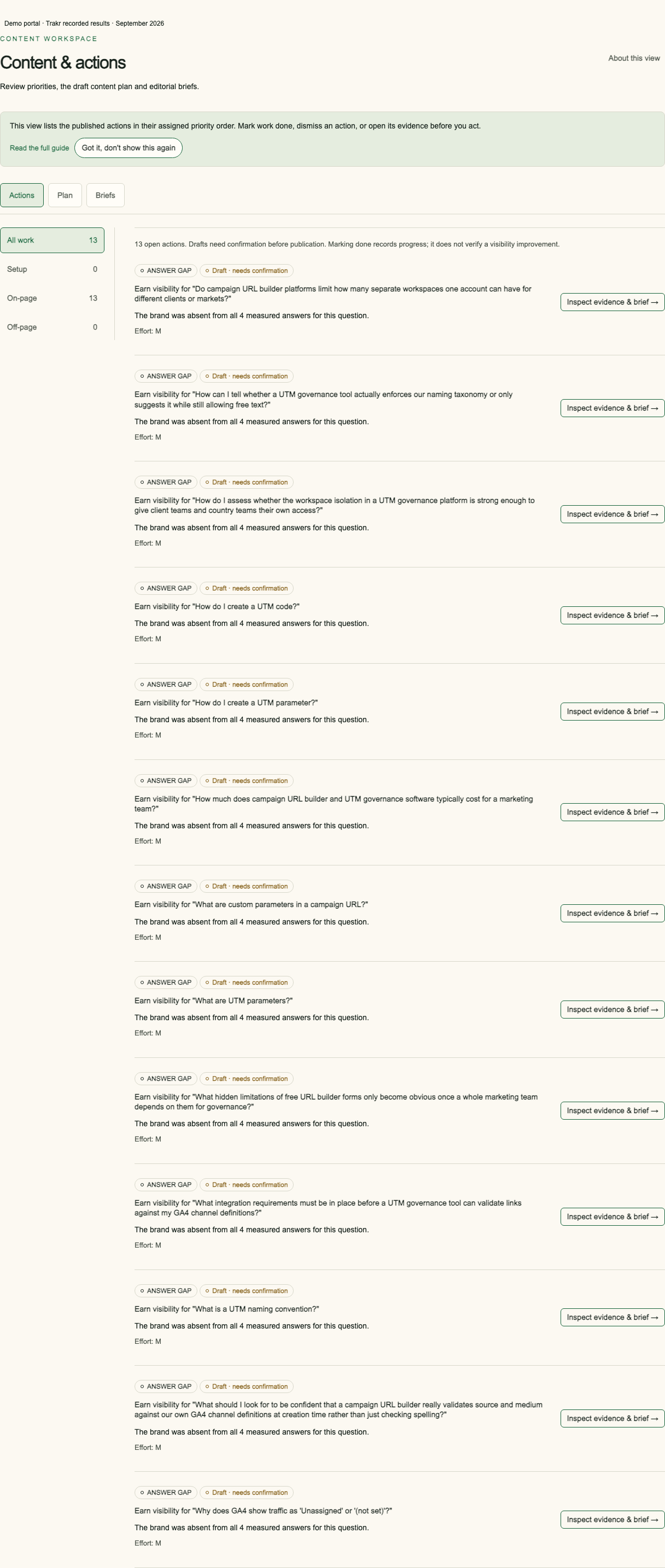
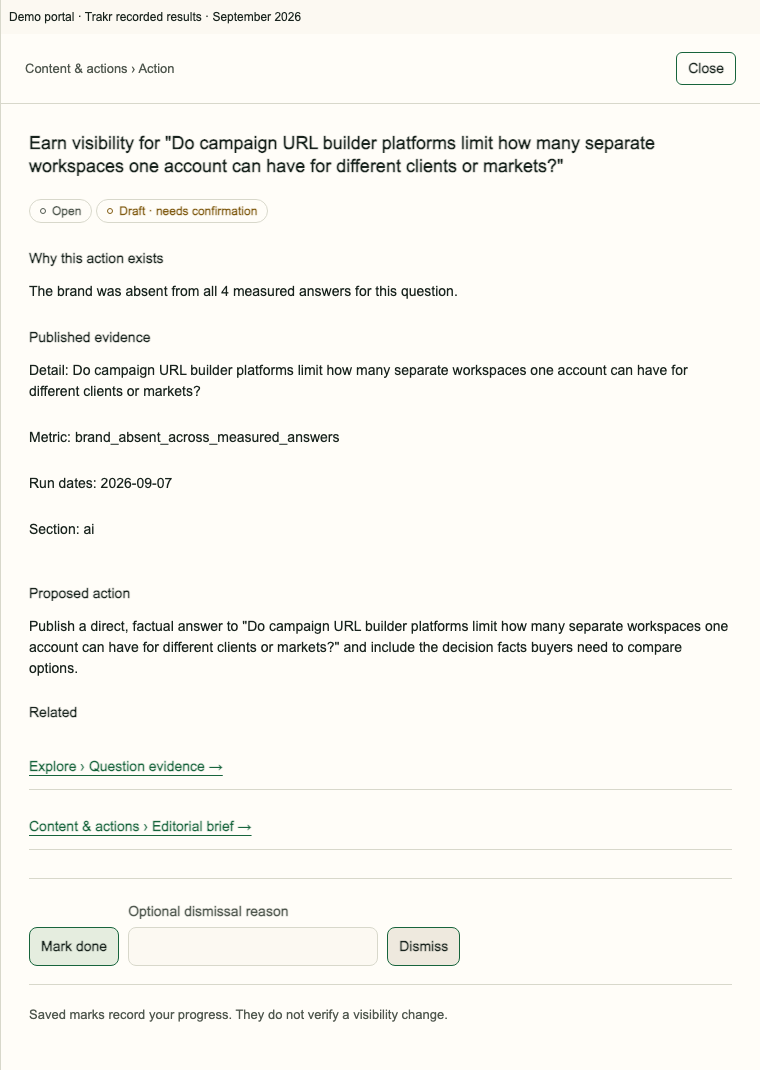
Open Content & actions. Review the action, its priority, reason and supporting evidence. Open its detail before choosing work. Availability depends on the published release; an empty worklist is not a recommendation to invent tasks.
Build the plan
Use the available plan controls to organise supported actions. An action may relate to a page, a buyer question or a source gap. Follow those references to check the context. Keep a Draft label visible when a brief or proposal still needs review.
Check a brief before publishing
Read the audience, question, proposed content and sources. Check brand facts and any claims before using the text. A brief is preparation for editorial work. Downloading it does not publish a page or install schema.
Record work status
Change work status in Content & actions when your permissions allow it. A completed action records work done, not a measured visibility gain. A later measurement is needed to assess the outcome. If a save fails or a newer version appears, reload and check the saved state before trying again.
Frequently asked questions
Does an action publish content?
No. It supplies a proposed task and evidence for your review.
Does Done prove visibility improved?
No. Done records work progress, not the effect on visibility.
What if there are no actions?
Check the release state and available evidence. Do not infer a recommendation from an empty list.