Start with Your pages
Open AI readiness, then Schema. The page inventory shows status and whether a live JSON-LD capture or reviewed proposal is available. Needs review and Change proposed describe different states. No generic draft is generated for an inventoried page.
Compare Live and Proposed
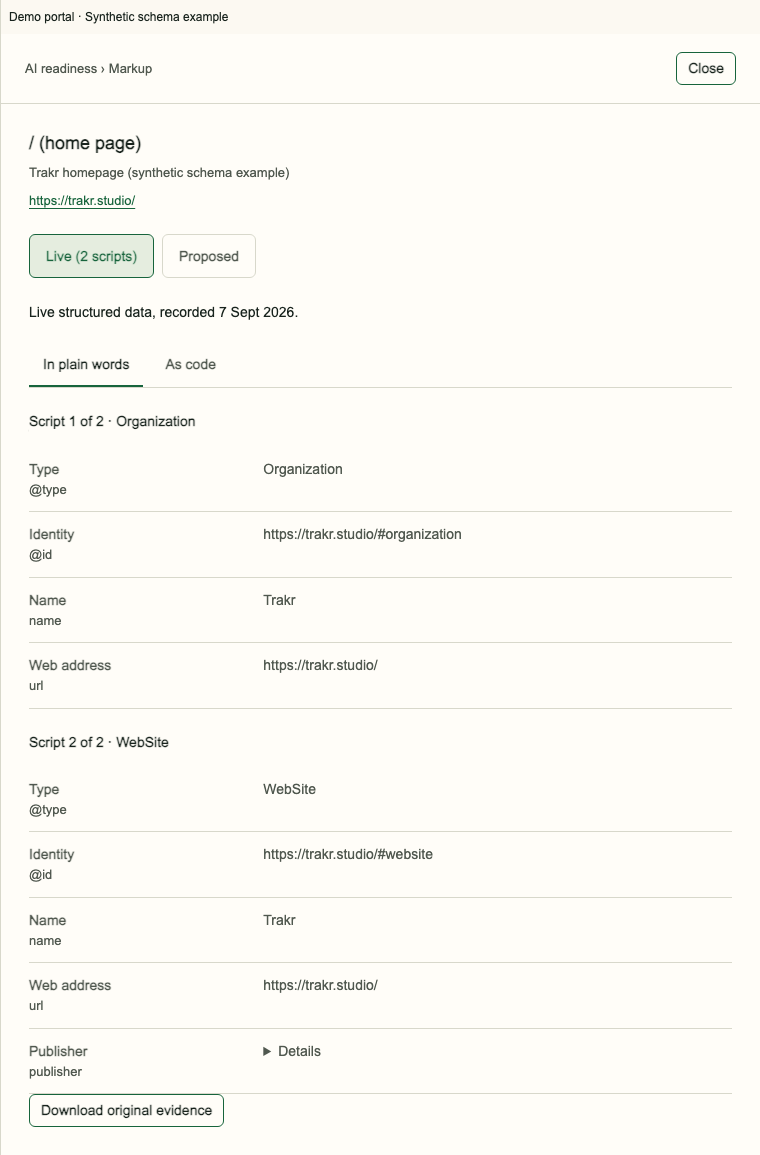
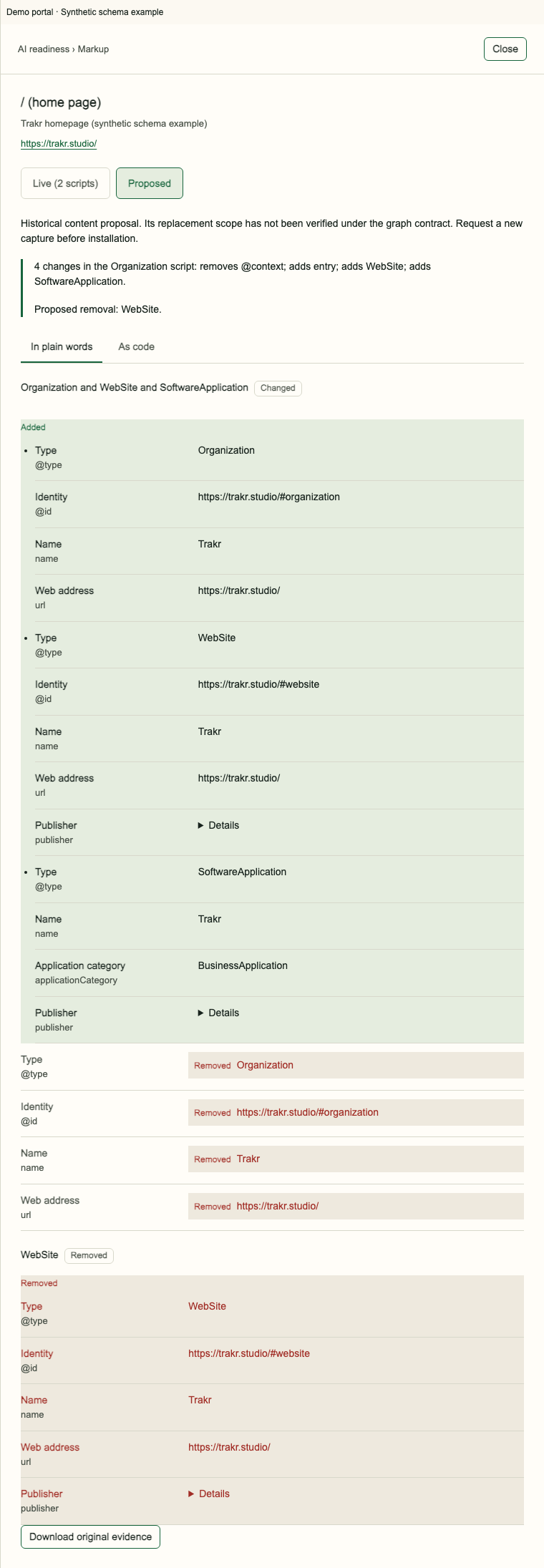
Choose View markup. Live is recorded evidence from a dated capture; Proposed is a reviewed change. Read the comparison and Changed lines before acting. A missing capture or blocked proposal is not permission to generate a replacement yourself.
Copy only the approved scope
Use Show complete block or Copy complete block only when the current proposal makes those controls available. Follow the named replacement scope and preserve unrelated scripts. No changes means no action. Copying or downloading does not install anything. A new capture is needed to verify the installed result.
Historical, stale and blocked evidence
Historical comparisons explain earlier markup and do not grant current installation approval. A stale proposal may refer to an older page or fact version. Resolve the stated block and obtain the current reviewed proposal before copying. Raw versus rendered markup is only known when the release actually measured both.
Frequently asked questions
Is Live the current website right now?
It is the markup recorded at the displayed capture time.
Does copying install the proposal?
No. Installation happens on your site and a new capture verifies it.
Can I install a historical comparison?
No. Historical evidence is for comparison, not current installation approval.