Find the profile
Select a brand, then open Schema & JSON-LD. The profile appears before Suggested schema drafts. Two labeled shortcuts take you to Measurement setup or Brand facts.
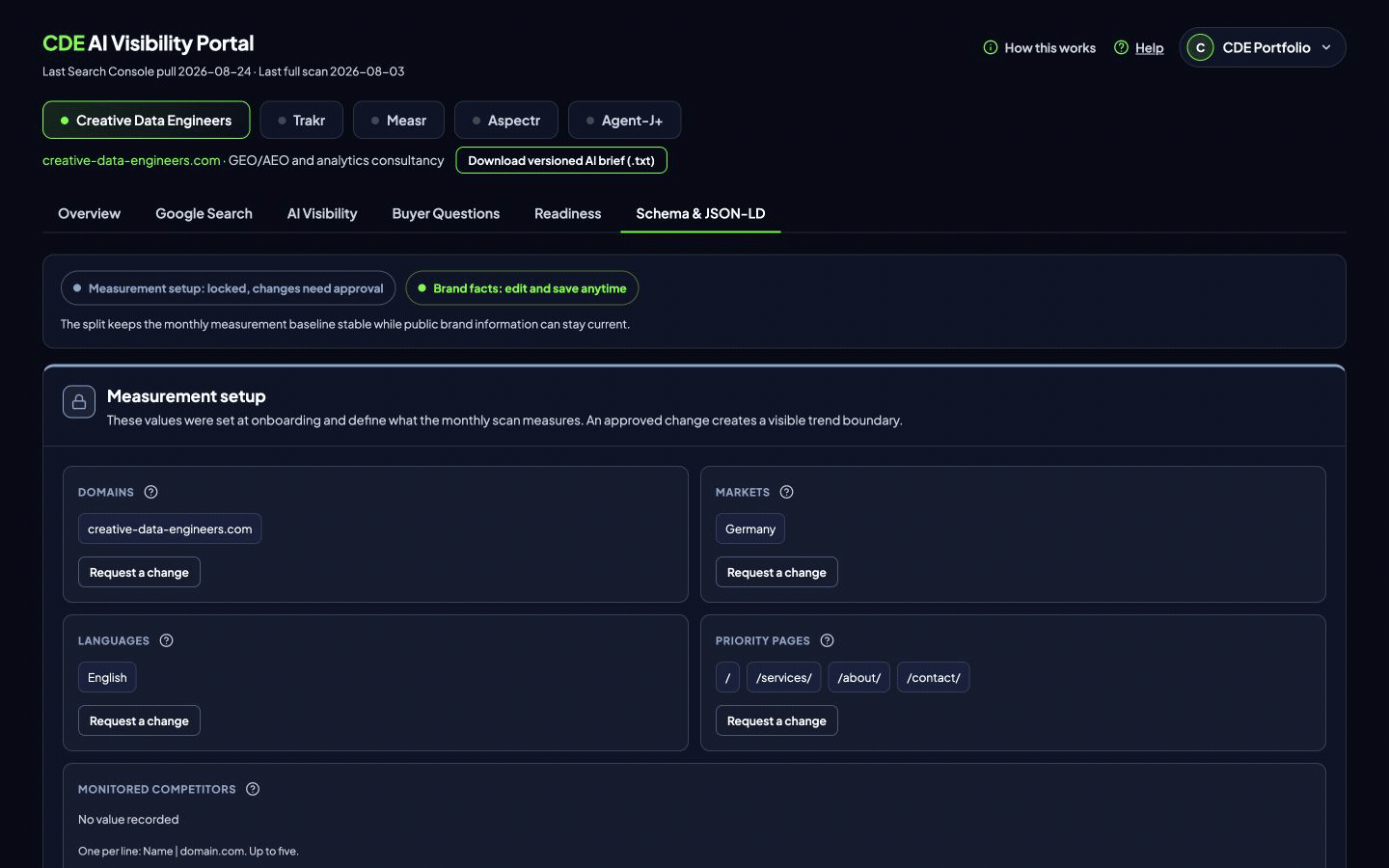
Measurement setup
This zone contains domains, markets, languages, priority pages, and monitored competitors. These values define the recurring scan. Direct edits would make earlier and later results hard to compare, so the zone is locked.
Use Request a change on the relevant field. The current value stays active while CDE reviews the measurement effect.
Brand facts
This zone contains the public facts used to describe the brand. The fields are arranged into Identity, Story, Products, Contact and profiles, and Buyer signals.
Edit one group at a time. An unsaved-changes bar appears for that group. Choose Save to update the confirmed profile or Discard to restore the loaded values.
Where the facts go
Confirmed facts feed the schema drafts and the versioned AI brief. Identity and contact details support Organization data. Products and services can support Product or Service drafts when the page decision calls for them.
Use factual public wording. Claims should have evidence, and public contact or profile links should match the website.
Frequently asked questions
Where is the brand profile?
Open Schema & JSON-LD. The profile appears above the schema draft area.
Which facts can I save directly?
You can save the Identity, Story, Products, Contact and profiles, and Buyer signals groups.
Why is Measurement setup locked?
Those values define what recurring scans measure, so a change needs review.
What uses the confirmed brand facts?
Confirmed facts feed schema drafts and the versioned AI brief.