Check availability and dates
Open the Voice of Customer tab for the selected brand. A brand without saved settings shows Voice of Customer is not set up, with a link to the Voice of Customer setup step. Suggested settings are not active. If you skipped or turned it off, the tab says Voice of Customer is off: no comments are collected. Open the Voice of Customer setup step and choose Start Voice of Customer to start it again. An active brand with no published collection shows No comments yet. After the first collection, check the week and method shown above the report. The weekly run is scheduled for Monday; a missing source is recorded as a gap while other sources continue.
Set up search terms and sources in Account settings if you are an owner.
The Overview setup row shows a summary of the suggested search terms, sources and markets, with Start Voice of Customer, Skip Voice of Customer and Change settings. Start saves the proposed settings; Skip leaves it off. Change settings opens Voice of Customer in Setup & method, with a Back to setup link to the Overview row. In Settings, the same status block offers Turn off Voice of Customer when it is on. Confirming keeps your saved terms, exclusions and source lists and turns all sources off, with no collection from the next run. Turn sources on and click Start to collect again. The Voice of Customer setup step link also opens the editor in Setup & method. Changes are marked in the trend and do not stop measurement.
Read the weekly report
| Part | What to check |
|---|---|
| Week and method | Confirm the published week and method version before comparing weeks. |
| Basis | Collected, relevant, off-topic and unclassified comments show what the analysis used. |
| Sources | Read counts and states for YouTube, Reddit, forums and own community pages. A gap means some evidence was unavailable. |
| Topics and sentiment | Shares use relevant comments. One comment may have several topics, so shares need not total 100%. |
| Trend and quotes | Check settings change markers before interpreting a shift. Open each quote’s original public source and date. |
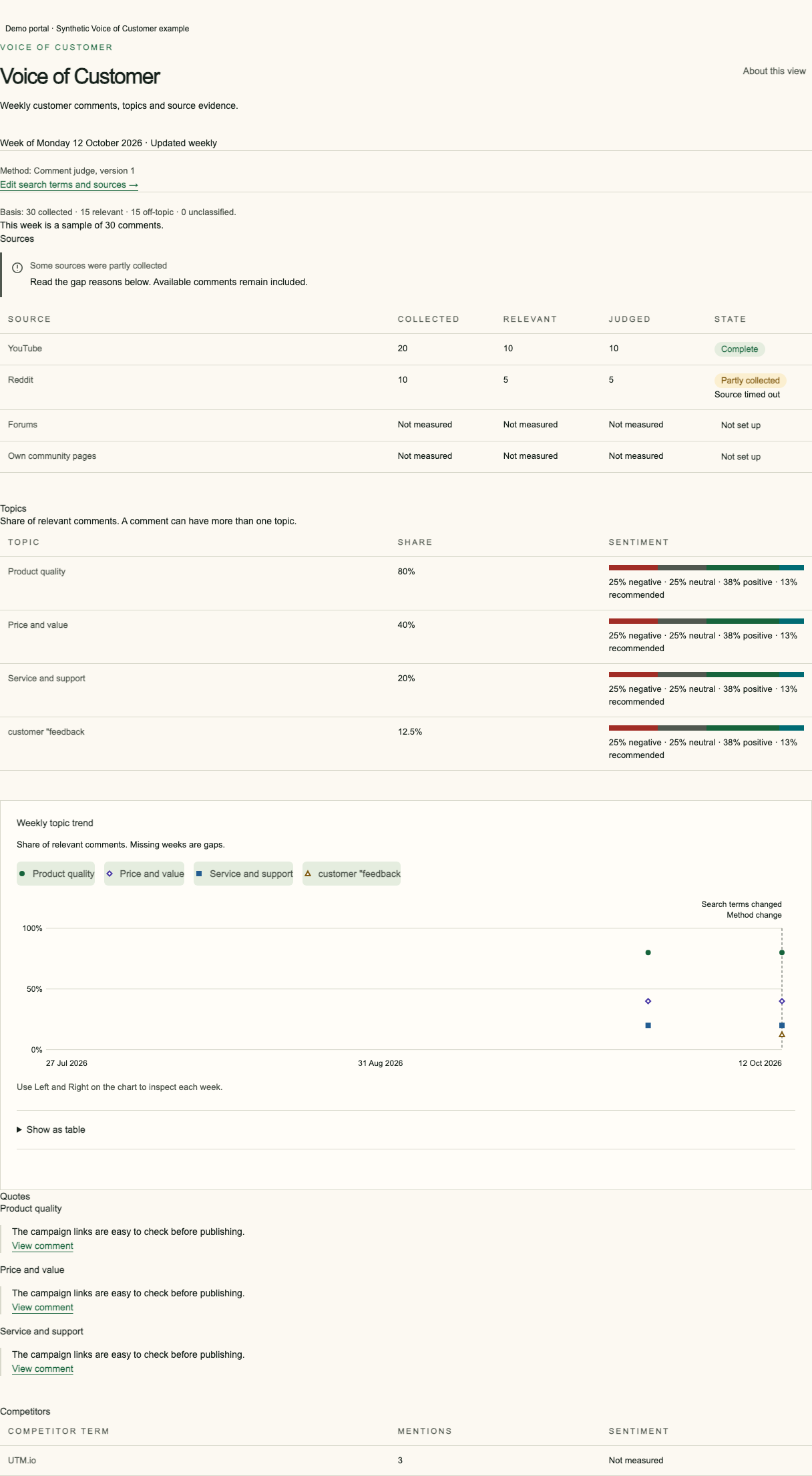
Read the settings revision and method label with the trend. A missing value means evidence was unavailable; it is not a zero score.
Understand coverage and sampling
The report covers the configured sources and time window. It does not measure every customer or the whole market. Settings shows the entry limits; the MCP tool returns the current analysed-comment allowance and aggregate settings usage. If more relevant comments are found than the weekly share of that limit, the report marks the week as sampled. Source errors appear as named gaps; available comments remain in the report.
Changes to search terms, sources or measurement scope take effect in the next weekly run and appear as markers in the trend. An observed change does not prove that one website or marketing action caused it.
Frequently asked questions
Why is Voice of Customer empty?
Voice of Customer may not be set up, you may have skipped or turned it off, or no weekly collection has been published yet. The tab names the state and the next step.
Do topic shares add up to 100%?
No. One relevant comment can have more than one topic.
What happens above the comment limit?
The week is marked as a sample; collection and publication continue.