Eight rows in Overview
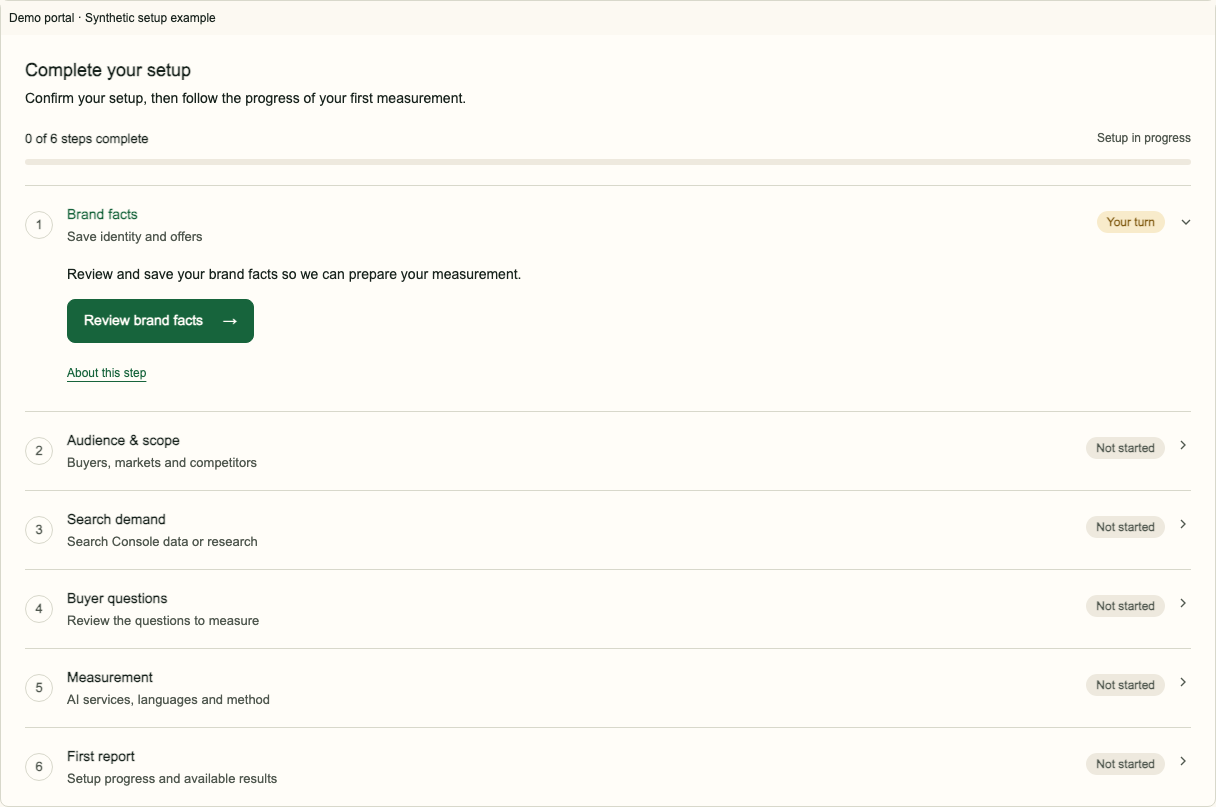
The setup card sits at the top of Overview. It starts with Website and market, set up with your AI assistant or here in the portal, then follows Brand facts, Audience & scope, Search demand, Voice of Customer (optional), Buyer questions, Measurement and First report. The Voice of Customer row summarises suggested Search terms, Sources and Markets. Choose Start Voice of Customer directly in the Overview row to save the proposed settings and start collection, or Skip Voice of Customer to leave it off without collection. Change settings opens the full editor in Setup & method. Its Back to setup link returns to the Overview row without saving. If no usable source is suggested or the settings need attention, Choose sources opens that editor with the problem focused; Skip stays available. Start or Skip completes the row and opens the next required step in Overview, including when you make the decision in Setup & method. It never blocks measurement, and you can start it later in Settings. The status block there shows whether it is off or on. When on, Turn off Voice of Customer asks for confirmation and keeps saved terms, exclusions and source lists while turning all sources off, with no collection from the next run. You can start it again. Active edits use the Unsaved changes bar with Save changes and Discard. Saving with every source unchecked also asks for Turn off confirmation. Enter in a text field never starts or skips collection. Open the current step from the card, or use Setup & method. Done counts completed steps. Your turn needs your input. In progress needs no repeated submission. Problem points to the issue to resolve.
Website and market
In step 1, an account owner can copy the connector address and ask an AI assistant to set up the brand in the CDE AI Visibility Advisor. Or choose Set up manually to enter a website, country and languages in the same step. A member without a market sees a reminder that an account owner sets it up.
A connected AI assistant without a market is In progress. Adding the market in either place completes step 1. The open portal updates automatically within 30 seconds while visible, and when you return. Unsaved entries stay in place; save or discard them to see updated progress. Read the connector guide.
Brand facts: save
Review identity, domains, offers, buyers, claims and priority pages. Complete the fields marked as required. Aliases are optional: add names buyers actually use. Priority pages are the URLs we actually audit each cycle. Do not assume website facts have already been prepared for you. Review every value shown, including any draft values.
Save each edited group. Once the required facts are complete, saving applies them. Incomplete required facts remain a draft. Once the required facts are complete, changes to question inputs show a dialog before saving. Contact details save without a dialog unless the save also applies an earlier question change. Notes for the reviewer give context without turning an unverified claim into a fact.
If someone saved a newer version
A version conflict means another save changed the inputs. Reload the current values, compare your intended change and save against that version. Do not keep resubmitting an older draft. Review your changes before saving. Saving applies the complete facts.
Audience & scope
Check buyers, markets, languages, competitors and the measurement scope. One market is one brand or website in one country and one language. Each selected country and language combination uses one market from the account allowance and is measured separately using the brand's shared question catalog. Independently edited per-market catalogs are not available. See the combinations and plan limits. Keep competitors relevant to the buyers and their question. Review the effect shown before saving a scope change. The portal saves a versioned change; there is no general request queue to unlock scope.
Before the first question approval, changed facts or scope can replace a prepared proposal. Review and approve the current exact version once during onboarding. Later changes to questions, markets or method apply automatically from the next run with trend markers, without renewed approval. Running measurement continues; results across a marker may not be directly comparable. Editing the saved configuration or its questions does not add another market.
Continue setup
Choose Search Console or category research, then review Buyer Questions. The owner approves the exact question version once during onboarding. Measurement starts automatically when setup is complete, and monthly runs continue automatically. Follow measurement and the first report.
Frequently asked questions
Does Save confirm my facts?
Yes. Save each group. Once the required facts are complete, saving applies them without a separate confirmation step.
Can I change scope?
Yes. Review and save the versioned scope change and check its effect on questions and trend comparability.
Do I need Search Console?
No. You can deliberately choose category research in the account.